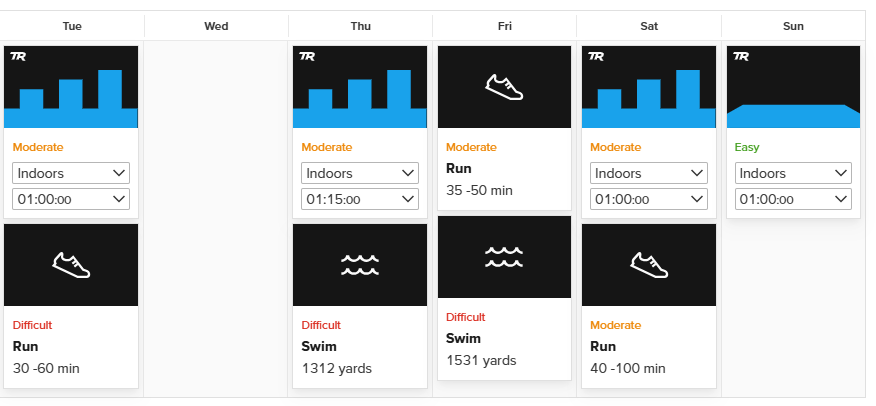
I am looking to create a new training plan for a half-distance triathlon in April next year. I have selected ‘low volume’ as I am unable to train on Mondays and Wednesdays. The resulting plan is now spread over six days a week, with each day involving more than two hours of training and up to three workouts.
Is there a way to indicate that I can’t train that much? I can move training sessions around, but I can’t drop them. Ideally, I would like to do five days a week with one training session per day (max. 1 hour on weekdays).
I understand that certain training is needed to complete a half-distance triathlon. But I can’t train that much. I just want to train as efficiently as possible within the time I have available.
In this situation, I’d just arrange your schedule so that the work you want to do aligns on the 5 days that you are able to train. Place anything you don’t plan on doing on one of the days you can’t train and don’t worry about skipping them.
Sorry for any confusion here, but let me know if this helps.
If you’re only able to do one session a day, you’d have to pick which one works best for you, but as an abbreviated triathlon schedule, this one seems to cover most things…
Keep in mind that to achieve this, I had to schedule things on Mondays, but again, you’d have to just ignore those.