TrainerRoad + ROUVY: How to Do TrainerRoad Workouts in ROUVY
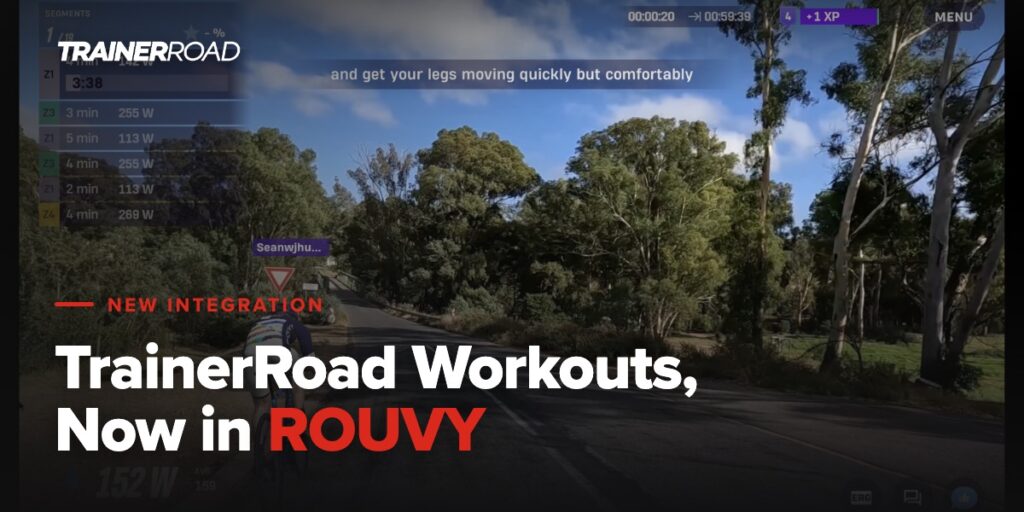
You can now do your TrainerRoad workouts in ROUVY. Connect your two accounts once, and today’s workout is pushed to ROUVY automatically, ready to ride on the route of your choice. When you finish, the ride syncs back to TrainerRoad and is analyzed by TrainerRoad AI, the same as any other ride.
The integration works the way you would hope: TrainerRoad handles the training decisions, ROUVY handles the riding. You get structured workouts on ROUVY’s real-world routes without planning anything twice. This post covers what you need, how to set it up, and what to expect on your first ride.
What You Need to Use TrainerRoad With ROUVY
You need an active TrainerRoad subscription, an active ROUVY subscription, and the latest version of the ROUVY app on whatever device you use for training. That is the whole list. Once the accounts are connected, only ROUVY needs to be running while you ride: the TrainerRoad app does not need to be open, or even installed on that device.
How Do You Connect TrainerRoad to ROUVY?
You connect the accounts on the TrainerRoad website, and it takes about a minute.
- Go to Account > Connections > Training Platforms
- Select Connect under ROUVY
- Read the connection terms and select Agree & Connect
- Select Authorize on ROUVY’s authorization page. If you are not already logged in to ROUVY, you will be asked to log in first.

Authorizing brings you back to Training Platforms. A green border and a Disconnect link on the ROUVY card mean you are set. For a full walkthrough with screenshots of every step, see Syncing ROUVY with TrainerRoad.
Which Workouts Sync to ROUVY?
Today’s indoor cycling workout syncs to ROUVY on the day you are scheduled to ride it. What that workout is depends on how you train:
- On a training plan: the indoor workout scheduled for today.
- Not on a plan: the workout TrainerRoad recommends for you that day, waiting when you open the app.
- Rest day on your plan: nothing syncs, by design. Rest days are part of the training.
Workouts show up in ROUVY almost as soon as they land on your TrainerRoad calendar, and they drop off ROUVY if you remove them. Once a workout has synced, a ROUVY icon appears in that workout’s footer on your calendar so you can see it at a glance.

Some things stay out of ROUVY on purpose. Runs, outside workouts, Ramp Tests and other FTP tests, group rides, and non-structured calendar items do not sync.
What Is It Like to Ride a TrainerRoad Workout in ROUVY?
Today’s workout sits near the top of the ROUVY Home screen and at the top of the Workouts tab. Click it, pick the route you want to ride it on, and hit Start Workout.
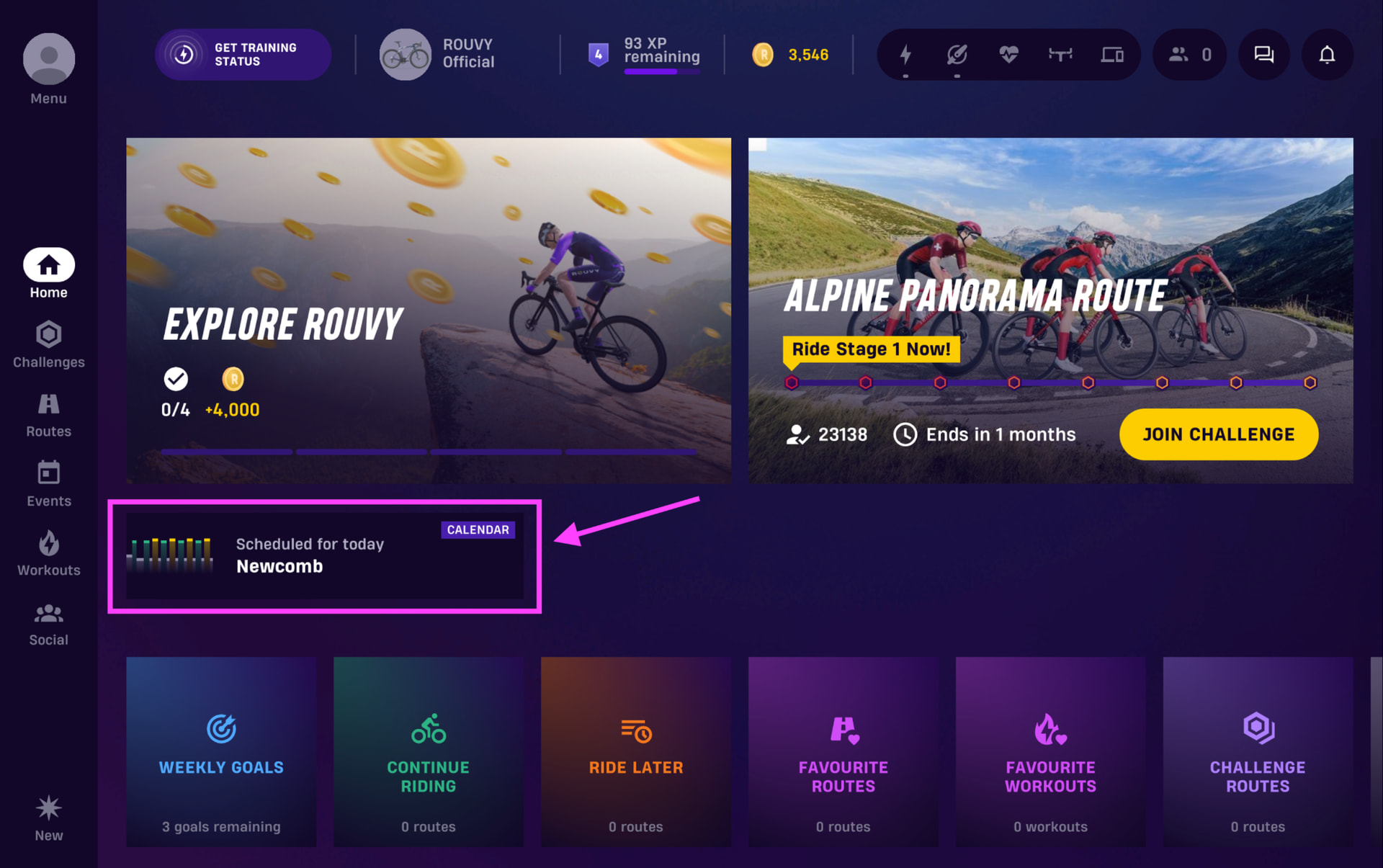

Workouts run in ERG mode by default, so your trainer holds each interval’s power for you. Turn ERG off and you get a steady resistance mode that ignores terrain. Either way, the road ahead never changes your power targets, and drafting does not change them either. The intervals you see are the intervals you ride, whether the route points uphill or down.

Your power targets always come from your TrainerRoad FTP, so every workout is calibrated correctly from the first interval. ROUVY has its own in-app FTP, and it only drives the color-coding of the workout blocks on screen. Matching it to your TrainerRoad FTP is worth a minute if you want the colors to read right, but it will not change what you ride. For the step-by-step details, see How to Complete TrainerRoad Workouts in ROUVY.
What Happens After Your Ride?
Your ROUVY ride ends automatically when the structured workout is done, and you get a short survey asking how hard it felt, 1 being easy and 10 being everything you had. Answer it right there in ROUVY, or answer and change it later in TrainerRoad.

The ride syncs back to TrainerRoad within a few minutes and is fully analyzed by TrainerRoad AI, so your training picks up right where the workout left off. If you want the ride in Strava, turn on third-party syncing in ROUVY and it shows up there as “ROUVY – [workout name]”.
How Does It Compare to the Zwift Integration?
If you have used the Zwift integration, ROUVY will feel familiar: connect once, today’s workout appears, ride it, and it syncs back. A few differences are worth knowing before your first ride:
- The activity ends when the workout ends. You cannot extend the warmup or cooldown, and you cannot keep riding in the same activity. Start a new ROUVY activity if you want more time on the route.
- Intensity adjustments cap at 150 percent of the original target. If you want to push above that, drop out of ERG and shift.
- Completed rides show the map and elevation in TrainerRoad rather than the usual workout profile. Click the workout name in the TrainerRoad Workout box to see the original workout details.
The FTP behavior matches the Zwift integration: your TrainerRoad FTP sets the power targets wherever you ride the workout.
Frequently Asked Questions
Do you need both a TrainerRoad and a ROUVY subscription?
Yes. The integration requires an active TrainerRoad subscription, an active ROUVY subscription, and the latest version of the ROUVY app on the device you train with.
Do you need the TrainerRoad app open while riding in ROUVY?
No. Only ROUVY needs to be running during the workout. The TrainerRoad app does not need to be open, or even installed on that device, and the completed ride still syncs back to your TrainerRoad account.
Does your ROUVY FTP change your TrainerRoad workout?
No. Power targets always come from your TrainerRoad FTP, so the workout is calibrated correctly no matter what ROUVY’s in-app FTP says. ROUVY’s FTP only affects the color-coding of the workout blocks on screen.
Can you ride a TrainerRoad workout on any ROUVY route?
Yes. When you open the workout in ROUVY, you pick the route before you start. ERG mode holds your power targets regardless of terrain, so the route you choose does not change the training you do.
Do Ramp Tests and FTP tests sync to ROUVY?
No. Only structured indoor cycling workouts sync to ROUVY. Runs, outside workouts, Ramp Tests and other FTP tests, group rides, and non-structured calendar items stay in TrainerRoad. For more detail, see Training in ROUVY with TrainerRoad: FAQs.
Can you keep riding after the workout ends in ROUVY?
No. The activity ends automatically when the structured workout is done. If you want more time on the route, start a new ROUVY activity after the workout.
Do TrainerRoad workouts ridden in ROUVY sync to Strava?
Yes, through ROUVY. Turn on third-party syncing in your ROUVY settings and the ride appears in Strava as “ROUVY – [workout name]”. The ride syncs back to TrainerRoad automatically either way.
Give it a shot on your next indoor day, then let us know how it goes on the TrainerRoad forum. And if you are new to TrainerRoad, getting set up takes just a few minutes.
Structured training makes you faster, and now it meets you on ROUVY’s roads. Connect your accounts and today’s workout will be waiting.
Check Out TrainerRoad