Not sure if I did something wrong, but the dang thang froze up on me right at the start of the 20 min block. This is my first legit FTP test so I figured not seeing your power might be part of it, and hit it hard for 20 min just going off my watch. Really hard effort for me, kinda disappointed it didnt work.
Email support@trainerroad.com if you haven’t already done so.
I also had my workout freeze today, and happened after app update so possibly a bug but equally may just be a coincidence
I’ll initiate a line of communication with support to check it out, be on the lookout for an email from them!
Got it! Thank you for explaining that, Im going to go ahead and initiate a support communication for you as well to try and isolate the source of those app issues and get you training again! Be on the lookout for an email. 
The FTP test is quite buggy and it also crashes regularly for me at exactly this point (probably about 1 in every 5 or 6 tests). I guess there is some issue in the code around switching automatically between ERG and resistance mode.
Anecdotal observation is that it’s worse if I have paused or changed device settings (resistance amount) earlier in the workout leading up to that point.
If the devs want to play about with this without spending hours on the bike, then I can also make it crash here by simply pausing the workout and using the scrub feature. It will often crash the moment the scrub “bar” touches the start of the test block while I’m still dragging it.
In fact, I have just tried on my phone now at my desk, not connected to any devices. It crashes every time I scrub forward to the start of the 20 test block
Android: 11
Motorola moto g(8) power.
Have you contacted support@trainerroad.com directly for them to review your issues?
Have you contacted support@trainerroad.com
I haven’t. It is the same issue as the OP, I just wanted to add my +1 with some additional info in the hope you can resolve whatever bug is causing this.
Please send directly to that email. The forum is a secondary place for bug reports, IMO.
Nothing beats getting it into their actual tracking system.
While what you’re experiencing may be similar, the root cause may be different and require different troubleshooting.
I’l go ahead and initiate a support communication for you as well so the team can take a look!
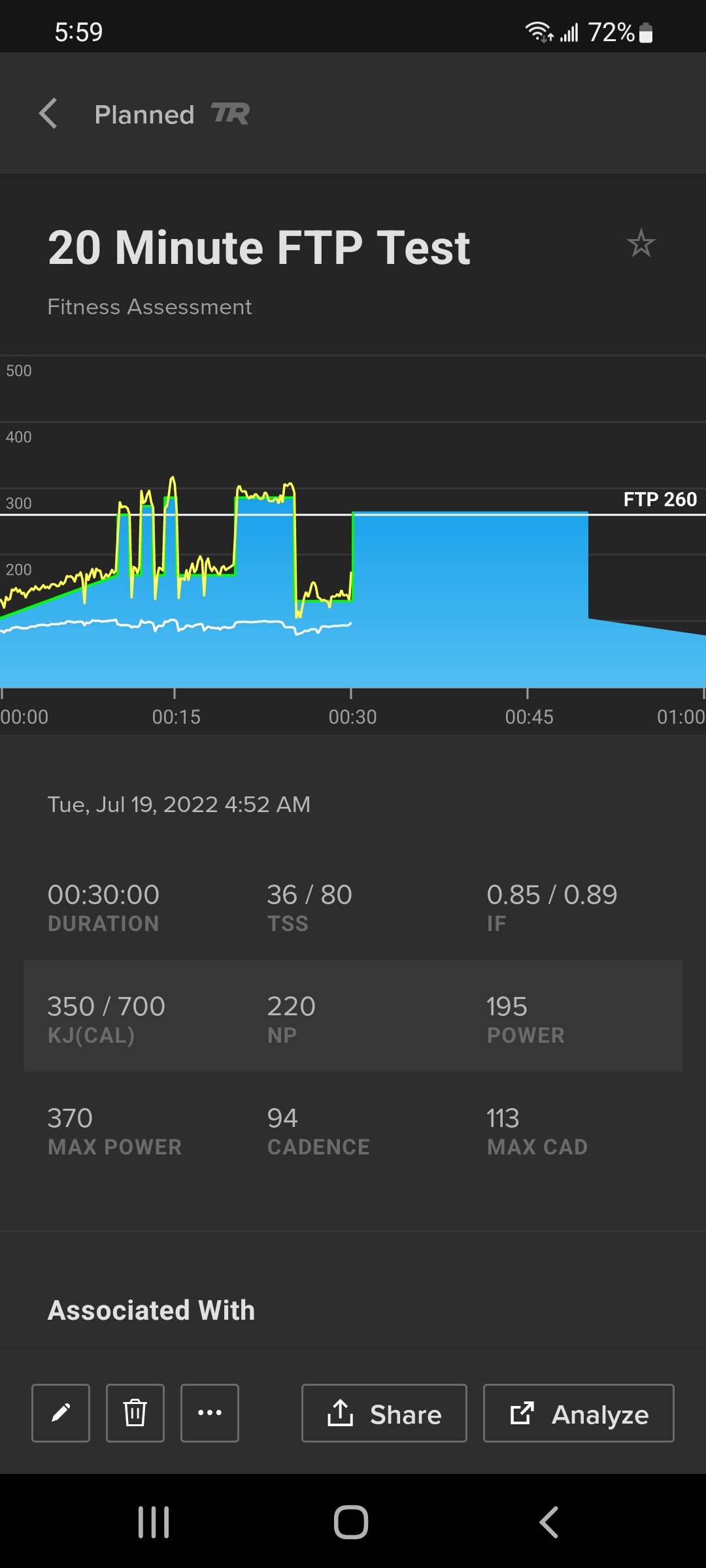
I seem to have virtually the same problem. I’ve been using the 20 minute test for two years but have only had this issue for the first time six weeks ago, and again yesterday (see screenshot - can’t be a coincidence). I was using a Bkool trainer connecting with Ant+ but since I switched to a Wahoo Kickr via bluetooth I’ve had the problem. I already have a support ticket for this but I would have hoped, if it is a bug, it would have been fixed by now. Not the end of the world as I can do the ramp test instead, I just “like” the 20 minute test and have had good results from it.

I’m sorry for the trouble, you’re experiencing a similar issue because this is still an active bug that the team is working on.
I’ll provide an update on this thread when we’ve released the fix, and I’ll communicate your experience to the team as part of the bug report.
Until that fix is released, you can always go for AI FTP Detection instead of testing by enabling the feature (instructions here), schedule a Ramp Test for today, and accept the AI FPT Detection result when you open the test.
Alternatively, I’m happy to just go ahead and run the AI FTP Detection for you and provide you a result via DM so that you can manually update your FTP instead of finding another test protocol, or adding another test to trigger the AI FTP Detection result. Let me know and I’ll gladly send that over!
Thanks Ivy, that’s really helpful. I’ve enabled it myself.
No problem! Happy to help, let me know if you have any questions while you’re getting started with that feature.
Unrelated: your workouts and Progression Levels and survey responses are looking stellar. You’re absolutely crushing it! Keep up the solid work. 