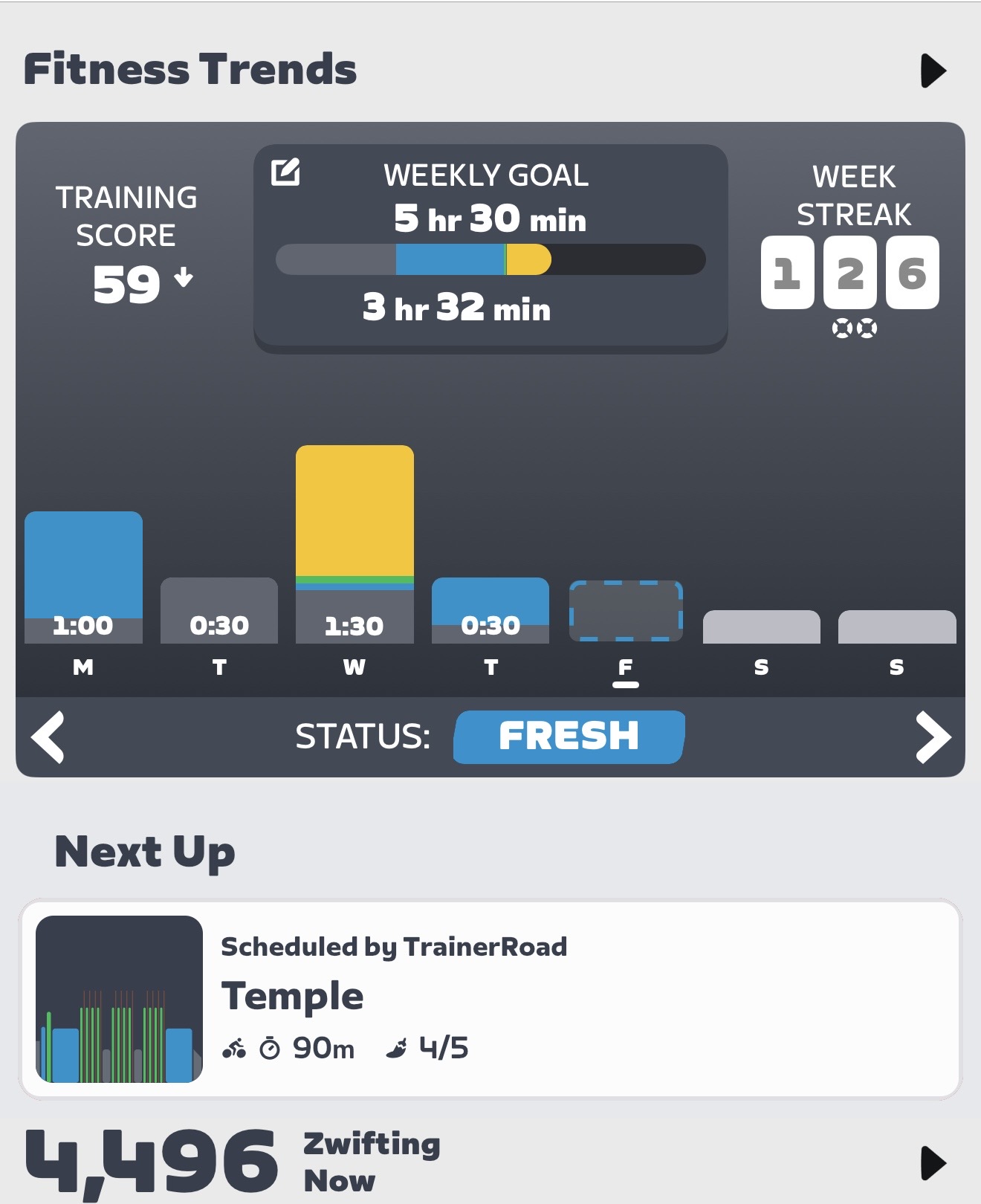
Today I have a rest day as I have a Sportive tomorrow. I am usually scheduled to do a hard workout on Fridays so I manually added a rest day today. However, when I look at Zwift, it says TR has scheduled a workout.
At first I thought it was suggesting a workout because I don’t have a workout scheduled, but then realised it only does that if you aren’t following a plan.
Another strange thing is that the workout itself saying is scheduled, is hard enough that the TR app says it’s too hard and not recommended. A bit confusing.
I think this workout may have been the one that was originally scheduled when the plan was started and is there in the background in case I cancel the rest day. It hasn’t adapted to my training because it’s not really there. But if it’s not there, it shouldn’t sync to Zwift.
Yes, I can repeat this still. In fact, today I did have an easy 30min endurance ride scheduled, but a couple of days ago I added a rest day to my calendar for today. When I look on Zwift, the workout that was scheduled has been synced across.
@eddie Tapping on the day in the calendar to bring up “Add to calendar”, then tap “Time off” and enter what it is.
Is this the wrong way to add a rest day? I know I could just delete the workout, but if I did that and my plans changed such that I didn’t need a rest day, how would I get the training plan workout back?
Hey, I can confirm this behaviour. It’s been there for weeks/months. I’m not following any plan anymore in TR but every single day I have a suggested/scheduled TR workout in Zwift.
@kevicivelo I think this is expected behaviour. If your Zwift and TrainerRoad accounts are linked and you are not following a plan, TrainerRoad will push a suggested daily workout.
I am following a plan. My issue is that it syncs workouts that was planned even if I manually added a rest day