Yep, that aligns with what we’re showing on athlete’s calendars as false decreases. Ignore those until that fix is released! So sorry for the confusion. 
Does increasing the percentage of a workout from 100% to 115% effect adaptive training at all to do with a larger progression? Or should a person just choose an alternate that has a higher progression if in fact the rider can manage it?
thanks
When I look back through history in my calendar, I see completed workouts labeled achievable, productive, not recommended, etc. Are these labeled in the context of my current fitness, or in context of the fitness AT thinks I had at that time?
In other words, when I see that 3 months back I completed Huxley, which was part of my training plan at the time, but AT now says “not recommended”, is it telling me “the old plan recommended this, but we now know that wasn’t a good idea” or instead “just because you did it then, don’t think you can do it now”?
I’ve been following the AT forum firehose of updates since release, but only got into the beta a few weeks back. I may’ve missed if this has been covered before when I had less context to recognize what was being discussed, so apologies in advance if I’m asking something already answered.
Thanks.
Pretty sure at the moment the best approach is to use Alternates.
From my calendar it appears to be based on your PL at the time of the workout. This is what should be expected I think as well - it makes sense to represent the workout at the time, not what you can do now…
Thanks. I agree that’s what I’d expect, but I could also imagine it as a current-state label applied to everything, so I wasn’t sure and thought I’d ask.
Since I wasn’t in AT at the time, it definitely didn’t set it when I rode it. I can imagine a few ways to test it to try to figure it out, which I may try if no one is able to definitively say one way or another.
I’m very certain from my history that it reflects the PL at the time of the workout. Would be good for somebody else to confirm, but I’m 99% sure that is what is intended.
Doing any ride, particularly an indoor workout, should reward the user, not provide negative feedback by dropping their progression level.
If your threshold PL is 5, and you want to be conservative after time off, and do a workout at 4, completing that workout successfully will end up with a reduced PL.
On the other hand, doing no riding will keep that PL at 5, unless decayed over time. This is classic negative feedback and should be corrected, if possible. But I’m not sure how.
It’s already confirmed as an error, so nothing to worry about. It is just a bug.
Definitely use alternates if you haven’t yet started the workout. If you have started it, imagine you have a strict coach and either
- Tough it out if it feels hard
- Tap it out of it feels easy
Then you’ll be better prepared for either: the next testing workout; or deserving of the upcoming recovery
I just had something like this happen. Did a stretch Sweet Spot session and the website has me losing 0.5 of a level (marked session as hard). Prior to going in my Sweet Spot level was 3.7, and now it’s 4.9.
Adaptive Training gets more and more bizarre.
Edit - I see it’s now a known bug.
Are there any near-term plans to allow users to specify specific durations for each day in Plan Builder? I know this has been brought up before and is more of a PB thing than AT, but now that’s it’s factoring into AT (and I don’t want to break AT by manually changing workouts ahead of time), this seems relevant to the AT discussion. With a baby in the house, I really need to limit to 60min during the week and maybe 75 on the weekend.
Notwithstanding the value of your request, which would be useful for many.
You can change your future workouts in advance using Alternates to the desired duration. They will still adapt. The obvious problem then is they can adapt back to say 90min and you’ll go back to a 60min adaptation, but it at least means your workout level is right
2 Likes

Oh, i might be mistaken, but I’m pretty sure it works as I posted above. I’ve just had workouts I’d changed via Alternates that were adapted. I’ve just gone through and re-alternated them.
How long does it take y’all’s adaptations to update after a ride? I just got added to the beta a little over a week ago, and I think for the first few days, it was pretty quick (a matter of seconds). Lately, when I finish a workout and submit the survey, it just spins indefinitely. I have to close out the app and reopen it to see what progressions actually happened.
I’ve had this on the iOS app. Seem to only happen to me right at the end of the ride.
Just kill it and log in and it’s fine (or log in somewhere else - like a browser). It’s a bug (reported).
Have my latest vlog up. Hopefully if I do a crit this weekend I’ll be able to bridge between AT and my performance in competition so if you’re curious I’d urge you to sub and stay tuned!

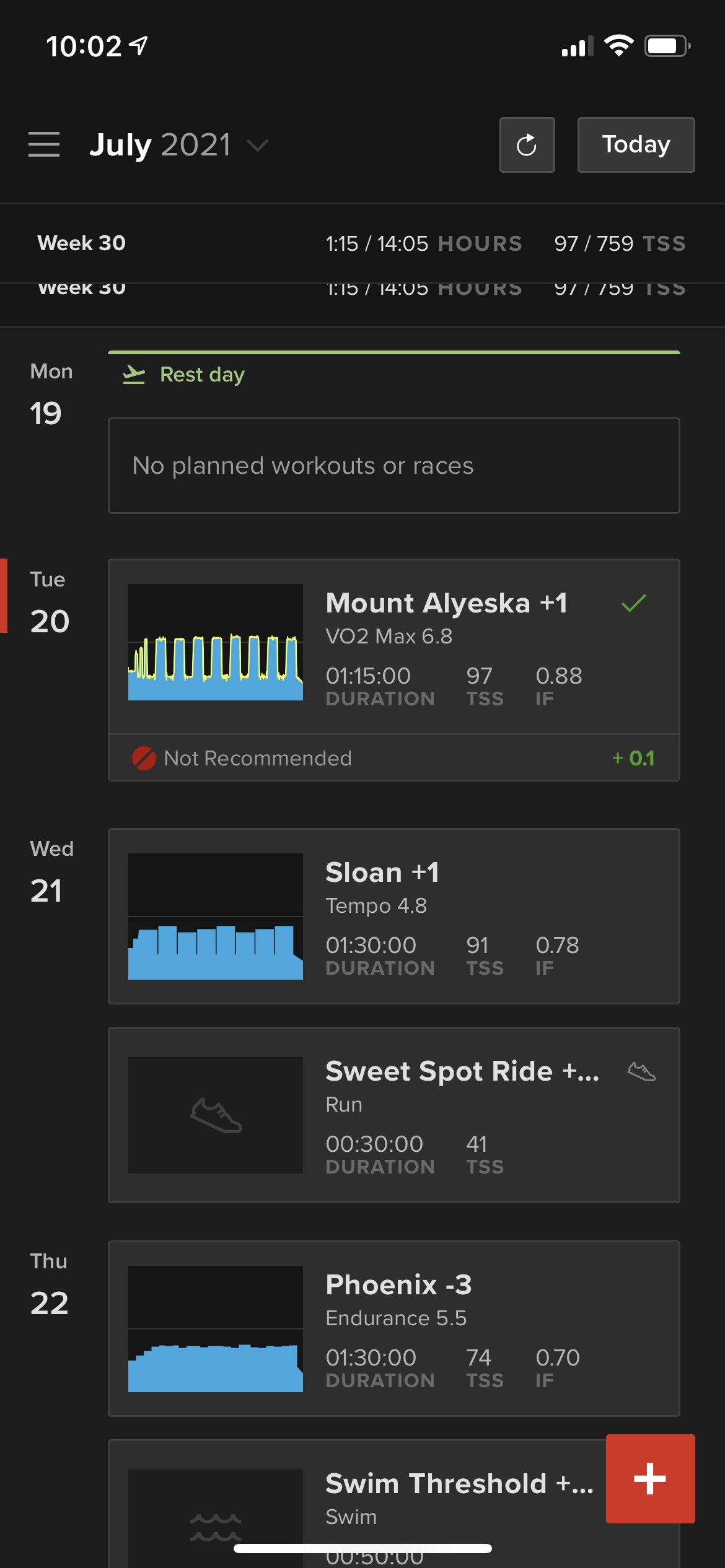
I believe it’s a known bug due to under the hood stuff they’ve been changing.
I had a completed workout yesterday that was WL5.2, my PL is 6.4, and the rating was “not recommended” and scored +5.2.
I came on here and saw there has been some funky stuff with the Levels displayed etc due to a change they made, but Ivy said it doesn’t effect actual PL (which is my experience, PL are fine).