Simple. Because no outside rides, no additional workouts (no strength), no survey updates, no missed scheduled rides have occured. Lots of posts stating that my survey results, outside rides, or some other data input is causing this. There are no inputs. I get adaptations just by opening TR.
TrainerRoad may also be continuously refining the machine learning model driving the adaptations, and the model itself is constantly being fed with the data from other people completing their own workouts, which can change the output even though there are no inputs on your end.
Plus as I understand LLM there’s a bit of black box to it at times, you feed data in and data comes out but the why can be an unknown.
Yeah, that’s what I was going to suggest. Perhaps it sets a workout an assumes you’ll do in the a.m., but you go to start it later in the day = more presumed recovery since last workout, and this will also prompt a change for tomorrow’s workout assuming less recovery going into it.
Face it, TR isn’t going to tell you how their formula works or exactly what all factors it is accounting for, but one little deviation from the assumed plan outcome (it’s making assumptions about many/most of those factors, because it has to in order to set the plan ahead of time) could have a ripple effect through many of those factors. Maybe it’s too much shifting of workouts for too little difference, but if it bugs you so much, you’d clearly be better off checking that box and letting it do it’s thing until you see something significantly out of whack.
Maybe I am weird, but I like to see Adaptations pop up and get a little disappointed when it says there are none.
I recently re-joined TR and noticed I got a lot of Adaptations in the first weeks. I get much less now.
I also noticed that changes sometimes occurred after no direct input from myself. I concluded that it might be a result of changes made to the TR code / model.
I do not have the “Automatically Accept Adaptations” box checked and occasionally I override the suggested change.
Last I checked, RLGL doesn’t cause the plan to adapt. It’s separate from the plan and it’s up to the individual to modify their plan based on RLGL indications, if they chose to.
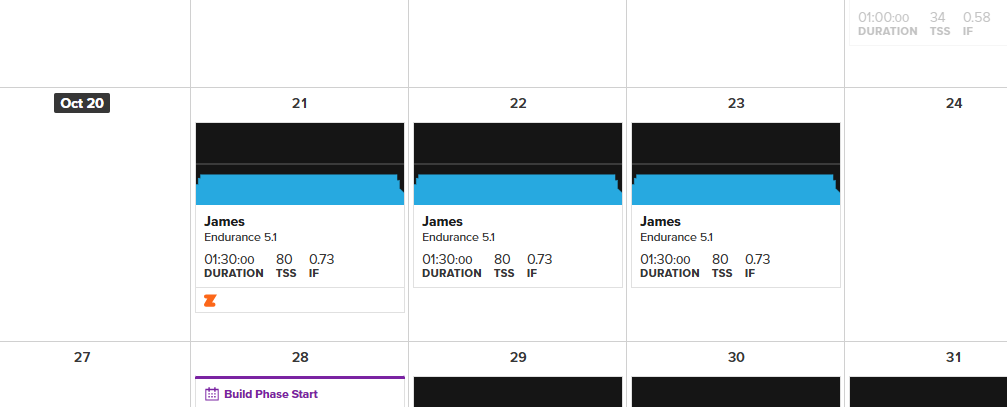
If you follow the plan exactly you are unlikely to see many adaptions - the magic happens when you go off-piste, miss workouts or over/under achieve.
… or manually select alternates of double the duration & 150% of the TSS. Probably also for shifting workouts around in the week.  Guilty.

Yep, I do. I’m doing Trad Base 1, high vol. Here’s one from yesterday:
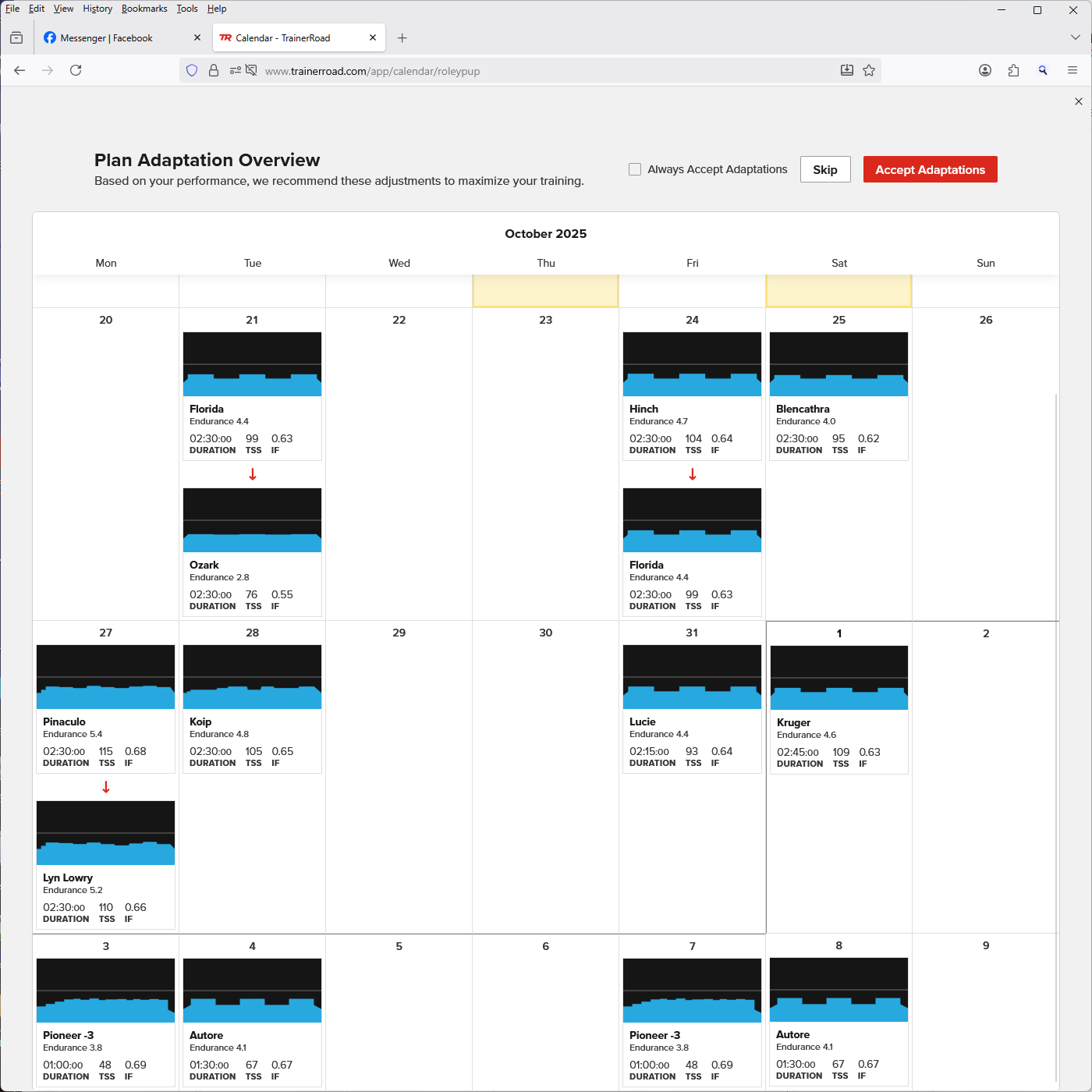
Though, strangely after today’s workout I got nada, after subbing the scheduled workout for today (Z2 L4.7: Hinch, for a custom Z2 L4.6 workout: 3h45’ @ 60%). I was under the impression that it was performance-vs-fatige-based rather than just pass-or-fail on the workout.
Repeated adaptations can be a problem for those who do workouts outside & need to find a good fit between interval structure & the available road system. When I visit my parents who live near a stretch of road closed to traffic that’s good for sweetspot up to six minutes long, any of the Garrowby series up to PL 6.4 will be fine. If it ever tried to adapt to the Antelope series, I’d have to refuse. Otherwise it’ll become a case of “oh  , where am I going to bash out this one now?”

That’s not my experience. I get adaptions all the time usually back and forth between seemingly nearly identical workouts.

Refer to Pioneer -3 thread hey?
Interestingly, the deload week has not received any adaptations since I put the plan on the calendar.
On the desktop, settings/account/adaptive training and disable it should do it?
Not my experience at all! I follow the plan almost exactly and get constant adaptions. At least every day. If I open the app more than once a day, I will probably get more than one adaption. It often suggests an adaption after an interval workout and then goes back to the original plan the next day.
I just consider the future workouts to be placeholders for the various types. There’s no underlying assumption that if I do everything perfectly I’ll progress just like those workouts do. When I get there, I’ll get the protocol, maybe higher, maybe lower than the original placeholder. Lower PL doesn’t necessarily mean I’m falling behind or did anything wrong. The whole point of machine learning AI (or a live coach) tweaking as you go is to dial up the right workout each time, not pick them months ahead of time.
If only this were true. I was very diligent this season — didn’t miss, mostly didn’t fail workouts. It was still nonstop adaptations. The other weird thing is that it seems to depend on the client I’m using. I could look on my phone and see no adaptations but then logging in to the web client serves ‘em up.
This has been discussed ad-naseum, but I really wish TR would stick to serving adaptations to when it receives new information and I’m really not sure why that isn’t the case. The adaptation with no new information makes the plan seem arbitrary and impacts my faith in it.
Of course, if I get my wish and TR integrates Apple Health, AT will have a nonstop stream of new information but, until that day, it does appear to be throwing bones.
It looks to me from the message that it checks every time I load the careers page.
Feels like there’s a flag not being set somewhere, something like check planned workout gets set to false after a check for changes. It then won’t check until it’s true, which wouldn’t be set until X days or ingested event. This would reduce the checks, probably saved a few pennies in computing power if everyone checked fewer times.
I should say clearly I don’t know this, just idle speculation.
75% of your VO2/threshold days fall on yellow days? 
There is all sorts of health data that TR could use if they added support for the various fitness trackers as that gives a clearer view into recovery. They don’t currently do this, but I would imagine doing so would be a big part of the motivation for doing that work.
I also disagree that time is a new input. Time progresses at a relatively constant and predictable rate so AT is probably already accounting for such in its workout assignments. It does not take advanced software to know that Thursday is three days from now.
Nate talked about this in a podcast at one point. You’ll get different workouts in the morning versus later in the day. There’s 2 things going on 1) time from your last workout and 2) some people perform better at different times of the day. For example, if I do a specific workout first thing in the morning it will be much more difficult than doing that same workout 4 hours after I get up.
…but it’s not actually variable in any way that matters to training. In three days it will be Thursday. If I don’t do any workouts between now and then, how is the state of the training world on Thursday not 100% predictable today? I get that, were I to open the app and ask for a workout on Wednesday, that might not be what is assigned for Thursday, but that’s not the behavior I (or others) are seeing in the app and find so perplexing. If I had a coach who told me to do XXX workout on Thursday who randomly called me on Tuesday and said “let’s do YYY instead” and then again on Wednesday and said “actually, let’s do ZZZ”, I would have many of the same questions I have about plan adaptations (actually, I just suck it up, but the argument here is such nonsense I can’t let it go) in TR.
I do like what the poster said above about time of workout mattering. Having that be part of the inputs makes total sense, at least from a future adaptation point of view. I’m not sure I’ve seen “oh, you opened the app a bit late today, so let’s change the workout”, but maybe I just haven’t noticed because my workout times are quite fixed.