Connect your TrainerRoad data to ChatGPT (walkthrough)

Hey all, I’m Daniel, long time triathlete, cyclist and runner.

Over the past years I’ve gone through the full cycle: teaching myself with YouTube + Google, then training with a coach (dropped bc of price tag), then back to static training plans but missing both the adaptiveness and conversation layer of a coach.

Since ChatGPT got so good, I started planning more and more with it, but was always frustrated by the manual process of pasting in activity data from all my apps and wearables every time.

So I teamed up with a friend and built the thing we’d been craving: an MCP server for our existing ChatGPT subscription that connects to TrainerRoad and the rest of our data.

You can find the detailed walkthrough here, but in short:

  1. Enable developer mode in ChatGPT
  2. Create the athletedata.health MCP app
  3. Start chatting with your TrainerRoad data

You can then ask something like “why did today’s VO2 feel brutal?” and instead of making things up, ChatGPT pulls the actual interval, last night’s sleep, last week’s CTL, and gives you something real.

Btw, also works with Claude and many more integrations (Strava, Garmin, Hevy, etc.).

Well, as you can see, I’m genuinely very excited about this and hope you’ll give it a try - personally, the conversation layer has been the last piece of the puzzle to better understand my training data.

I’d LOVE to hear your feedback and am happy to answer any questions you might have!

Happy training,

Daniel

PS: If pasting configs into ChatGPT isn’t your thing, there’s also a WhatsApp/Telegram coach version that does similar stuff with zero setup - it just texts you proactively in the morning when something’s off. Bit more expensive, but you skip the technical setup entirely.
I am not judging, but can’t natural intelligence do that? No system can replicate your feeling. I know how good i slept. Also wearables aren’t even 80% accurate about sleep. Can be helpful for people who never trained before.

Yeah I know what you mean! I think own feeling should always be considered, sometimes it’s just very helpful to be able to chat with your own data and dig a bit deeper - example mentioned is just one of many many use cases (you can also just ask it “reschedule next week’s ftp test to Thu” and it’ll do for you or “my bike didn’t make the flight, pls reschedule bike sessions with runs”, etc.

Would love see you try it out and provide feedback :))

Today’s update (2026/05/19):

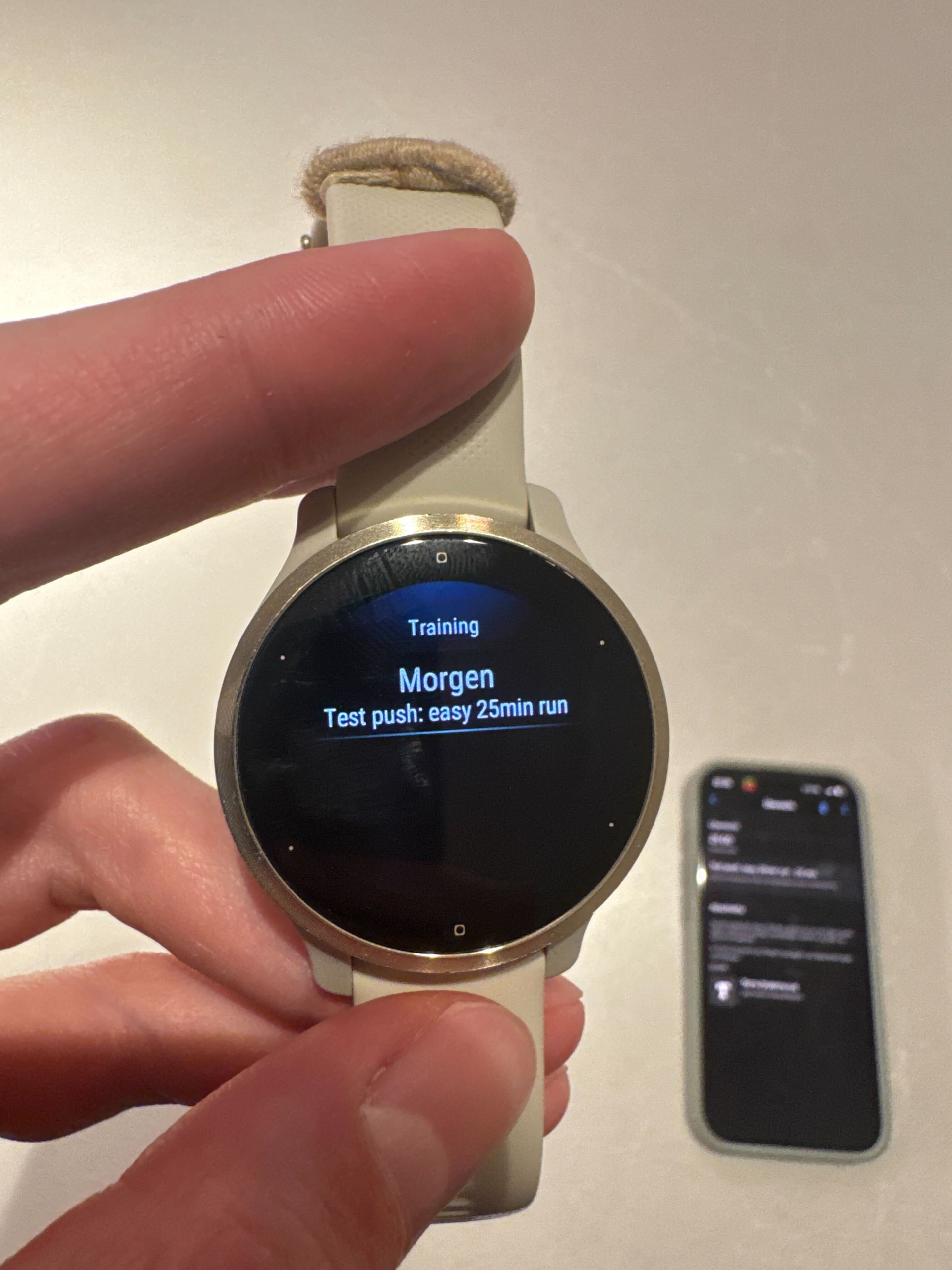
The one users have asked for most is live: planned workouts now push straight to your watch.

Structured intervals, work/recovery splits, watts or pace targets. Your athletedata plan lands on your wrist. Press start, the watch walks you through it. No phone between reps, no exporting .fit files by hand.

IMG_5039

How to turn it on

  • Garmin: Integrations → Garmin tile → “Enable workout push” → approve the second Garmin authorization. Done.

  • COROS: Auto-enabled for new connections. Older ones: open the tile and hit “Reconnect” once.

  • Suunto / Polar / Wahoo: Enable “Mirror planned workouts to my Intervals.icu calendar” on the intervals.icu tile, then make sure your watch is connected with workout push on inside intervals.icu.

Every plan change pushes automatically from here. Pause anytime from the device tile.

If anyone is looking for a free alternative and uses intervals.icu for storing their training data, I’ve built something for this: **icuvisor**, an open-source MCP server that connects intervals.icu data to Claude or any LLM. Runs locally, API key stays in your OS keychain. The “life got in the way, rework my week” prompts work much better when the model can actually see your history and planned sessions.

GitHub - ricardocabral/icuvisor: Open-source local MCP connector for intervals.icu (Go binary) · GitHub

Curious what you’d want from it, still shaping the roadmap.

These are interesting, if someone uses atheletedata, how is their health data stored and secured?

Great question!

Your data sits in an encrypted Postgres database (SOC 2 + ISO 27001). All integrations connect via OAuth, so we never see your passwords and you can revoke access at any time. We do not sell your data or use it to train AI models.

Very cool, thanks for sharing!