Thanks for bringing this issue to our attention. I just chatted with one of our Product Managers and we now have Developers looking into this issue .
If you haven’t already reached out to the Support Team, please shoot us an email reporting this bug at support@trainerroad.com. This allows us to track how many people are experiencing an issue and it also provides insight into the issue to help us solve it more quickly.
Thanks @Bryce for the comment. Being able to choose what entertainment - if any - I want when riding is a key part of why I love TR so much, so I’ve got my fingers crossed a fix doesn’t take too long to release.
We’ve just pushed a new Beta that should fix these minimal mode issues! If you don’t want to wait for this to push to our Production version, you can download our Beta apps here.
If you’re already using our Beta program, you should be notified of an update.
Thank you all for bringing this to our attention. As always, if you find there are still issues please let us know!
Clicking on the window doesn’t make the window disappear but there is still a z order issue with minimal mode. I have a workout loaded witing to start in the beta right now along with chrome open to this forum. If in normal mode I can click on the minimize bottom on the window bar and the window goes away and I can use chrome as expected. If I switch to minimal mode and hit the minimize button the window goes away but then pops right back up. Makes it hard to get to the bottom of the chrome window to type this.
Also the behavior of the maximize button in minimal mode seems like it should be fixed. Doesn’t do anything right now. Seems like it should’t be there or maybe switch the app back to normal mode
Yes, windows 10 with the current version of chrome. (Happened in the earlier beta too yesterday but didn’t have a chance to doublecheck repro steps as I wanted to get the workout done and go eat) Let me know if you need build numbers. (don’t have TR installed on my work laptop which I’m using at the moment)
I’m having the same issue. Black screen when in minimal mode. If I shut down chrome, sometime it will come back. It seems to just be the visual display (i.e. the erg mode is still controlled and data is recorded), I just can’t see any on screen data.
This only happens if the TrainerRoad window is maximized before entering minimal mode. To avoid this for the time being, do not maximize the TrainerRoad window before entering minimal mode.
The bugs with minimal mode causing a black screen and minimal mode workout text appearing behind other windows should be resolved in our latest beta. Please download it here
I finished another TR workout staring at a blank screen tonight. This is becoming really frustrating as I love the product so much. Has anyone found a workaround other than dont minimize it? When i’m working out and try to use spotify I tend to minimize by accident when moving on the trainer and trying to select a tiny icon.
I have a windows 10 computer running the beta desktop app, and it is working correctly for me in minimal interface mode with fullscreen video (either via web browser or VLC).
Hey! I’m so sorry you’re experiencing this. There have been a few TrainerRoad athletes on Windows who reported something similar. Nonetheless, I think its a good idea to touch base with support to make sure they don’t have any troubleshooting steps that can help isolate and reduce these instances!
 .
. I tried both Chrome and Edge (no difference).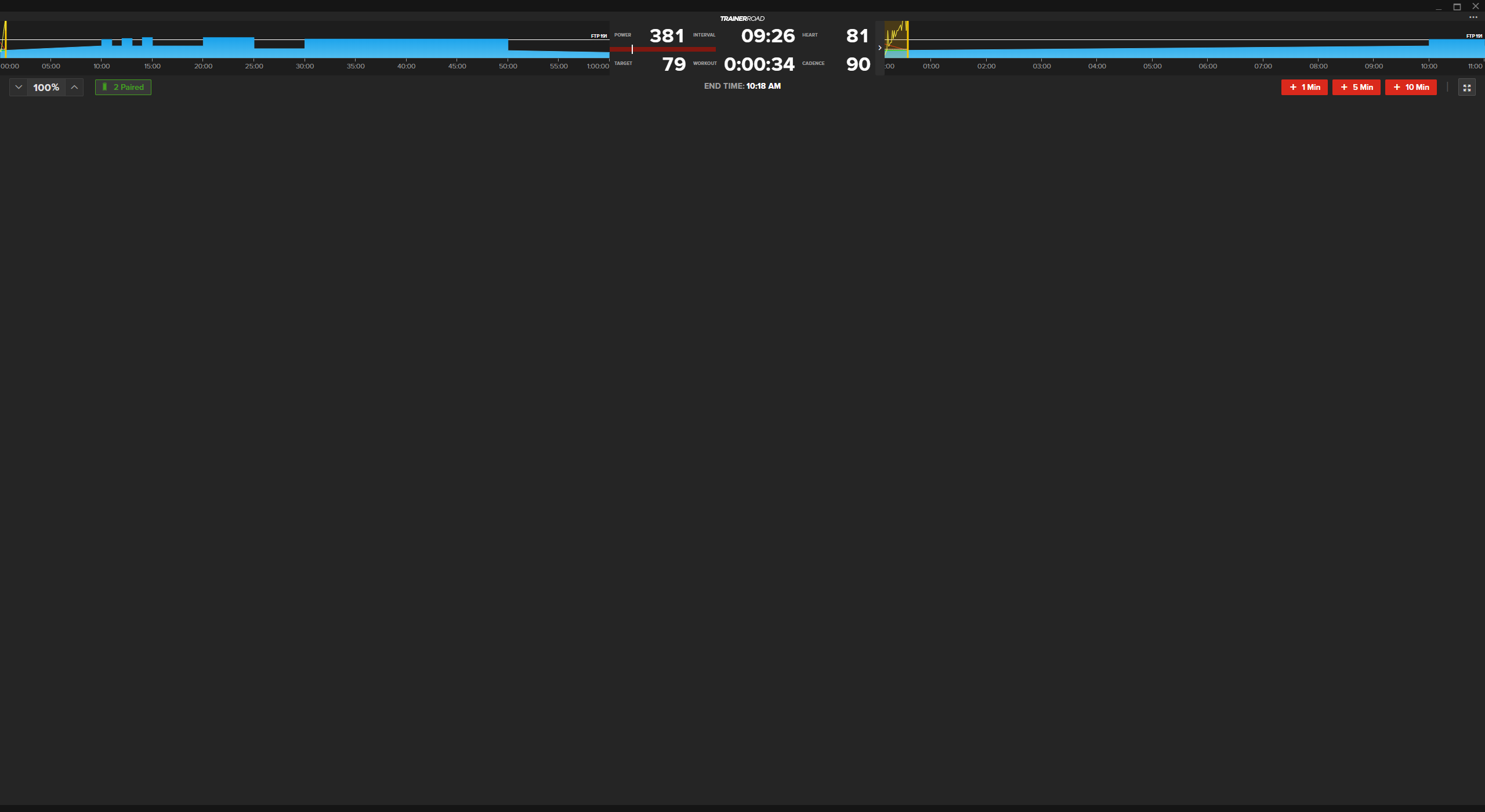

 Then the only thing I can recommend is to file a support ticket with TR.