TrainerRoad AI gives you control over how hard you want to train and where you want to emphasize work in a training plan, then it handles the details. You choose the approach to your training, adjust specific zones if needed, and the system selects the right workouts at the right time. The result is training that fits your life, protects recovery, and allows you to customize your training plan more than ever.
What these controls do for you
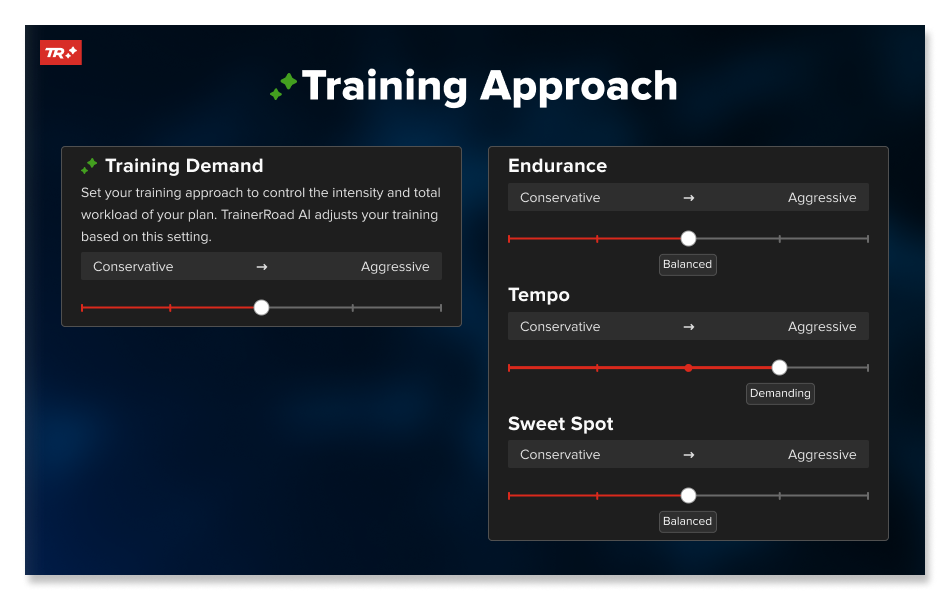
- Training Approach Set how ambitious your plan should be: Tell TrainerRoad how hard you can work.
- Zone Specific Approach lets you adjust the difficulty of workouts by training zone, so you can fine-tune your workout recommendations.
- Dynamic Endurance lets you set the duration of your longer endurance workouts and your plan will help you reach your endurance duration goals.
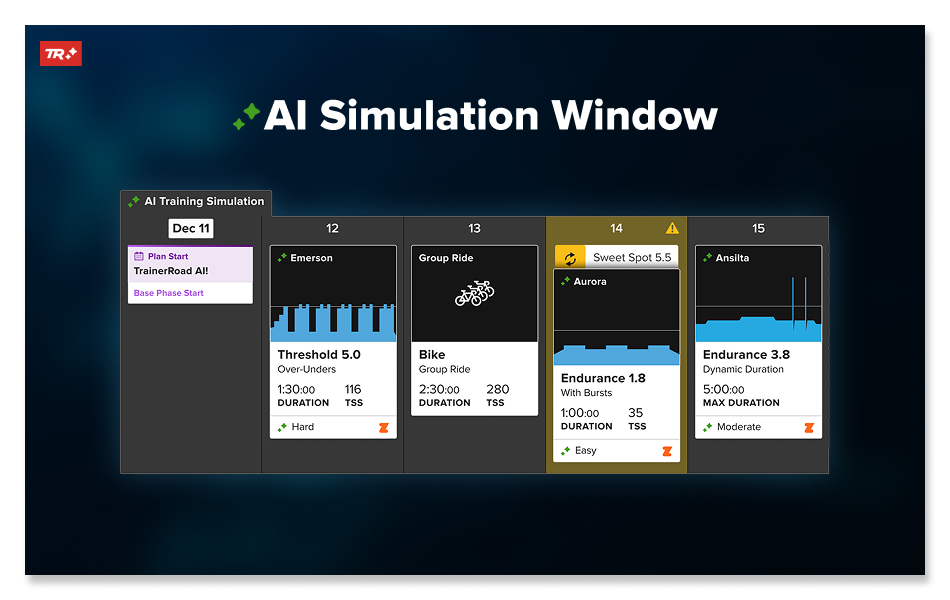
- Your 4 week Training Simulation Window shows how these choices shape the next several weeks and your projected FTP.
Adaptive Training
Get the right workout, every time with training that adapts to you.
Check Out TrainerRoadTraining Approach: Choose How Hard You Want to Train
The Training Approach in Plan Builder defines the overall tone of your plan and is the control panel that sets how hard you want to train in your plan. Pick an approach that is inline with your goals, and ability.
Dial the training approach to match your capacity:
- Turn it down when time and energy are tight so you maintain momentum. If work, travel, stress, or limited sleep cut into recovery, choose a less demanding setting to stay consistent without overdoing it.
- Turn it up when you can recover and fuel well to convert more intensity into fitness. When you can prioritize training, nutrition, and rest, choose a higher setting to add purposeful stress and accelerate progress.
The five Training Approach Settings
- Conservative
Smaller jumps in load and more recovery. Great for building consistency, busy weeks, or returning to training. - Moderate
Steady progress with manageable training stress. Ideal when life is full and you want reliable gains. - Balanced
The sweet spot for most athletes. Solid stimulus with recovery that keeps you fresh for key sessions. - Demanding
Higher load for athletes who can support more work with good sleep, fueling, and schedule stability. - Aggressive
Maximum stimulus with greater recovery needs. Best used when you can prioritize training, fueling, and rest.
How it feels in use
- As you build your custom plan, you select your Training Approach in Plan Builder.
- TrainerRoad AI builds and refines your plan around your goals, fitness, and chosen approach.
- As you train, the 4 weeks window shows how today’s work affects the next several weeks and your projected FTP.
- If you need changes, you can lower or raise the training approach, pick an alternate, take time-off or simply let Fatigue Detection insert recovery days when needed.
Benefit to you
You get the right dose for your fitness and goals. Weeks feel purposeful rather than punishing, so you string together more high-quality training and see steadier fitness gains.
Adaptive Training
Get the right workout, every time with training that adapts to you.
Check Out TrainerRoadFine Tuning Workout Recommendations by Energy System
Zone specific training approach is designed for athletes to fine tune workout recommendations as they gain expiernce. The training zone specific controls lets you choose the difficulty within specific training zones, from Endurance through Anaerobic. You set the recommendation approach for that zone, and TrainerRoad AI maintains your plan with both your goals and preferences in mind.
Practical Examples
- Excel at VO2 Max Efforts
With experience, you notice you are good at VO2 intervals and you could handle more demanding VO2 workouts so you turn up the demand, and find the recommendations are spot on. - Struggle with Threshold Workouts
After a lot of training, compared to other zones, you realize you struggle with Threshold work. You turn the zone approach down a bit, and this keeps your Threshold workout recommendations and progression more modest, without changing recommendations in other zones. - Time Trial/Break Away Goals
In your races, you’ve done well in breaking from the group but you want to improve holding the gap. So you increase your Sweet Spot and Threshold to be more demanding. The workouts in these zones are more challenging, but you’re able to complete them and make bigger steps in improving performance for longer, repeated Threshold efforts.
Useful Tips
The zone specific controls don’t change the number of workouts in this zone you are prescribed. That is determined by the structure of your plan and fitness. What it does is allows you to adjust how demanding the workouts in a specific zone will be and the progression of those workouts(how fast or slow the workout difficulty ramps up as you train).
Benefit to you
You get targeted stimulus where it counts without breaking the rhythm of your plan or guessing at the pros & cons. The TrainerRoad AI prediction tools help you balance easing up or pushing in one zone with the rest of your training and efforts, so you always get the right workout for you and your goals.
How these controls work with TrainerRoad AI
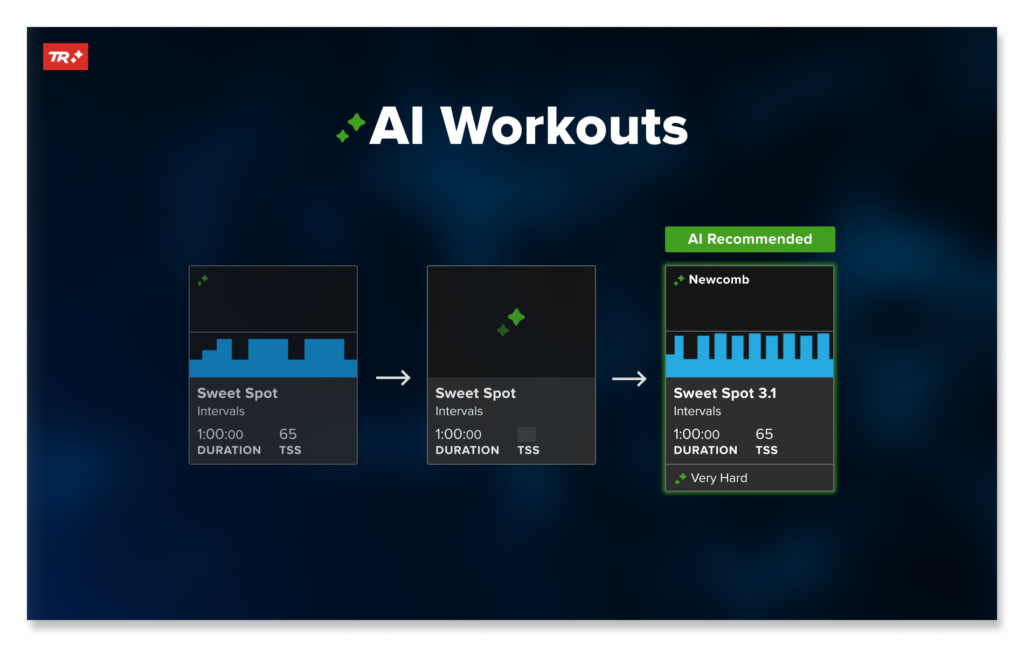
- Simulation-driven choices: AI runs performance simulations on hundreds of workouts to pick the best fit for your fitness, goals, time, and Training Approach preferences. Training Approach gives you a lever to further personalize your training recommendation.
- Fatigue Detection: When load is building or a big ride lands on the calendar, AI detects or predicts fatigue and schedules recovery days so you can adapt and improve, protecting consistency. When you adjust your training approach to be more demanding, you can count on fatigue detection to keep your training and recommendations on track.
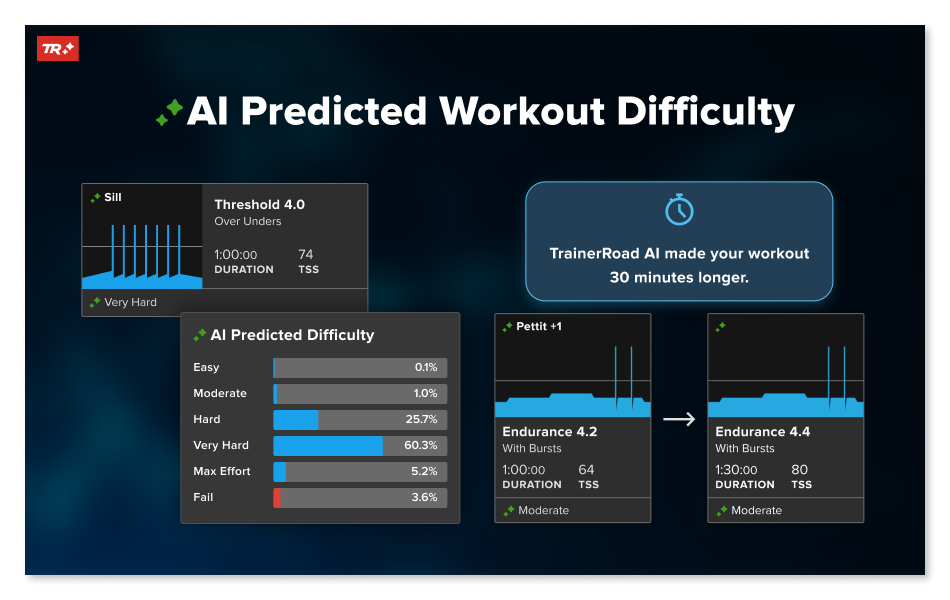
- Predictive tools: AI Predicted Workout Difficulty tells you how a session is likely to feel. You can see the predicted difficulty shift based on your chosen approach.
- Real-time recalculation: Move a ride, add time off, adjust your approach, or swap in an outdoor session and the next 4 weeks adapt immediately.
Adaptive Training
Get the right workout, every time with training that adapts to you.
Check Out TrainerRoadA Day in the Life with Training Approach
You open the app and see the workout chosen for you. It matches your current Training approach preferences you set. The workout in your calendar shows predicted difficulty, so you can prepare. A glance at the 4 week window shows where recovery days fall and how your FTP is trending. If you’re short on time, you can pick a shorter alternative. If weekend plans turn into a big group ride, watch the plan re-simulate. Recovery needs adjust, and future sessions reshape to keep you moving forward.
How this improves fitness and FTP
- You apply the right dose in the right zone at the right time, more often.
- You keep quality high on key days because recovery is scheduled when it matters.
- TrainerRoad AI removes friction points & gives you more control and insight—increasing workout completion rates while also reducing failed efforts and sessions that feel too-easy.
- As consistency improves, FTP and power PRs follow. Athletes using TrainerRoad AI are seeing more PRs, fewer failed workouts, and fewer days that feel too easy.
Tips for getting the most out of these controls
- Start with Balanced unless you have a clear reason to change.
- Revisit Training Demand after a recovery week or an FTP detection if weeks feel too easy or too taxing.
- Use the training zone approach to support a clear goal, strengths, or weaknesses. A balanced approach will work best in most cases as TrainerRoad AI adjusts according to your abilities. Don’t crank things up after a couple of rides.
- Respect recovery days when they appear. They allow you to recover, adapt, and get faster, so you can push harder.
- Check your 4 week window a few times per week. Prepare for Hard days and enjoy Easy days without worry.
- Use Workout Alternates on busy days to maintain progress.
Train with data, not guesswork. Choose your approach, guide the zones that matter, and let TrainerRoad AI turn those choices into faster fitness.
Learn More About TrainerRoad AI Features:
- TrainerRoad AI
- AI Training Simulation
- AI FTP Prediction
- A Data Driven Explanation of the New AI FTP Detection
- Predicted Workout Difficulty
- Improved Fatigue Detection
- TrainerRoad AI Workouts
- Dynamic Endurance
- AI Workout Alternates