Thanks @Nate_Pearson and TrainerRoad team.
This looks like a great refinement 
Thanks @Nate_Pearson and TrainerRoad team.
This looks like a great refinement
This comes off as a slightly different take on what I originally thought RLGL was trying to say. If it is really a “predictor” of future fatigue [I’m getting this from “Remember, RLGL doesn’t tell you if you can do today’s workout or not. It’s about preventing future fatigue.”] then I think you need to rethink how this is presented / described to users. For example: if I have a planned rest week next week, then training on a Red day might be a completely rationale decision as I’m intentionally doing overload going into the rest week.
Training on a red day in order to overreach before a rest week may by rational to you, and maybe to me on occasion also, but it isn’t sanctioned or approved by TR. It’s really as simple as that.
I’ve seen this sort of thing happen with a chest sensor too, after working fine for the first few months. Just checking my pulse & counting confirmed that the sensor was reporting nonsense.
Re your other response to my point I agree it would be easier on the users for the algorithms to ignore such nonsense. [Requiring the user to correct/delete the data] does add a workflow, especially for people who auto-upload. (I nearly always plug the head unit into my computer for that.)
Is this taking into account my runs and swims as well? or is it just looking at my rides as i’m following a tri plan.
Runs yes, swims no (not yet).
Runs definitely, works really nicely in the run>ride direction (so a hard run can trigger an adaptation to your next ride to endurance etc).
Not sure how it works the other way i…e, hard ride triggering a change to your planned run, but the run support isn’t as good anyway.
So having no bike just a short run on Red Sunday, and tuned down/swapped in a 45min recovery ride for Amber Monday I woke to Green and had the Wheel 2hrs, threshold, blimey that was hard work.
1280kj effort.
Can RLGL also tell me to have more than two sugars in my coffee for breakfast? 
I need to sort out my nutrition now that RLGL is giving me a clearer view of what my hard days are. 
Does this work with trainNow by any chance or just pre scheduled workouts?
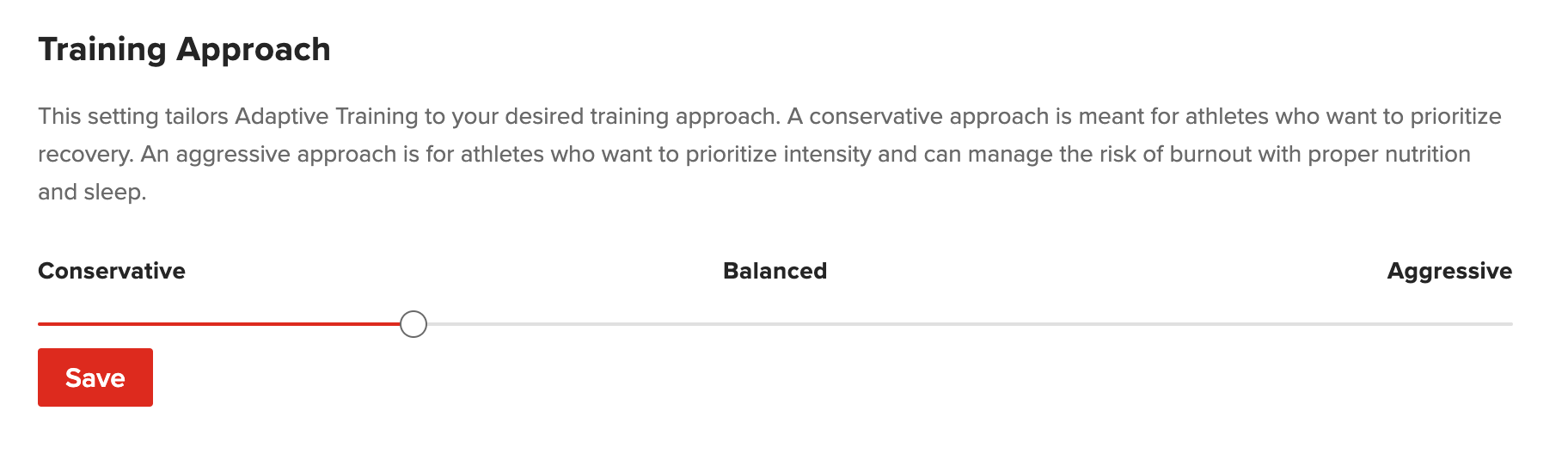
We just added new functionality to Red Light Green Light with Training Approach! This new setting lets RLGL and Adaptive Training know how you want to train. If you want to prioritize recovery, go with a conservative approach. And if you’re the type of athlete who wants to prioritize intensity and you can manage burnout with proper sleep and diligent nutrition, then an aggressive approach could be for you. If you do go with an aggressive approach, be aware that you are taking on a higher risk of burning out.
You can find this setting in the Account section of the website, under Profile → Adaptive Training. Altering this setting will affect future days on your Calendar, and won’t retroactively adjust red/yellow days.
Thank you for all of the feedback so far! It’s awesome seeing everyone use RLGL and we’re excited to keep adding new functionality!
TrainNow functionality is coming in the future!
@ming I am getting the perpetual spinner when I try to update this slider.
I am getting a 405 Method Not Allowed when calling a GET on https://www.trainerroad.com/app/api/rlgl/member-config:
Ditto on infinite spinner.
Yes, I think I’ve mentioned this above. If you do plan to do intensity on a yellow/red day, you have to make sure you take extra rest to repay the loan your body took out.
I think of it like spending on your credit card when you’re close to your limit. You have to adjust your spending habits to get back on track.
The closest thing I can think of to RLGL is TSB. Except that has a lot of shortcomings but it’s also almost 20 years old.
I like to think of the landscape like below. Where the x-axis is talking about today vs the future. And the Y axis talks about specially what you shoudl do to train vs a “go or no go” recommendation.
Adaptive Training is focused on today, and gives you very specific workouts tailored to your fitness level to achieve an overall goal you’ve put in the system.
Garmin gives some workouts, but they aren’t as tailored as ours. And Whoops are more general, focusing on what “percent” you are in a certain day.
Redlight Greenlight focus on future fatigue prevention and tells you exactly what to do.
TSB gives you a hint on that you might burn on in the future if you train with lower TSB, but it’s tough because everyone has different thresholds for what a good TSB is for them and you gotta figure that out yourself. Then TSB doesn’t give you any specific recommendation to do.
There’s a bug on this, we know the issue and it’s being published now. Sorry about that.
Should be ready in an hour or so.
EDIT: It’s FIXED!
I enabled red light green light recently. Very cool feature and thanks for building it 
My recent calendar has yellow days, but they fall on the rest days only after my workouts:
This is fine, right? I’m not working out on those yellow days and the yellow only covers one day. This isn’t a sign that I need to scale back, just that the workouts have been taxing. Is that the correct way to interpret it?
Then does RLGL take into account what the next week’s training looks like to decide on adaptions? That is: if tomorrow is a red day, but the rest of the week is a recovery week, would the recommended adaption differ than if tomorrow is a red day but the rest of the week is a build week?
Should be fixed! Sorry about that.
Works, thank you!
Yes! That’s great! That’s a sign that you’re increasing your volume but also doing it in a good manner.