I did it yesterday and, indeed, it was a pain but I got it to (mostly) work. I used hushed.com to get a UK phone number that can receive texts. This is important as some services (like Skype) don’t support texts in many countries.
I can now watch Discovery+ in a computer browser with a VPN extension, but not on my Google TV w/Chromecast device. Seems that Discorvery+ has different versions of their app for each country’s Google Play Store. IOW, you can’t just download the US Play Store version of their app and use it with a VPN. You have to change your Google Account to UK which will then give you a UK-version of the Play Store.
I briefly considered doing that but it looked like too much work. I tried a web browser app on my Google TV device and it was extremely frustrating to use and when I finally did get a race stream to load, it stuttered every five seconds. So I just plan to use it on my laptop connected to my bigscreen via HDMI.
With a UK-based PayPal account that I sent money from my US-based PayPal account. I actually had to do two transfers as I didn’t factor in the fee for using a credit card.
To create my UK-based PayPal account it required a non-US number to receive a confirmation text. So I created one on Hushed, then once I got PayPal set up, I enabled 2-factor auth via an authenticator app, so hopefully, I won’t need that number any more as I only paid for one week of the Hushed number.
Like I said, it was kind of a pain, but I was motivated as I still have half the Tour and the whole Vuelta to watch during my winter training sessions. No spoilers, please!?
Yes, I just used a random UK address. I entered “Bath” (since it’s the home of GCN ) in the PayPal address field, and it auto-suggested a bunch of valid addresses, similar to Google Maps search. So I just picked one that looked good. I think PayPal only uses it for tax reasons and shipping if you buy hard goods (which obviously, I won’t be doing).
I probably should have written a more complete step-by-step guide, but I thought someone else had earlier, and TBH, I wasn’t sure I did it the best/cheapest way. But hey, I got it to work and can now finish watching the grand tours!
I’ve watched a couple of cx races on YouTube. Having just the ambient sound is brilliant! Hearing the crowds roar is so much better than listening to commentators trying to fill an hour with mindless waffle.
Only downside is trying to avoid spoilers prior to watching.
This is stellar. I was able to watch some of the recent races in Antwerp and Namur this way. If you don’t do VPN from USA to Brazil or another country, the live replays are not even showing in the list of videos on the UCI youtube channel.
US user here trying to access Discovery+ UK. I followed the instructions above with mixed results.
Paypal blocked me from transferring money from my US account to the new UK account that I created with a VPN with a UK Hushed number. It may be related to my failed attempt to use a US credit card last week and they flagged me but who knows.
I had a my wife send me $20 from her US account which worked. (so $20 in Paypal wallet) I then created a Discover+ plus account and paid for the first month via paypal (it made me link a credit card but didn’t matter it was a US card).
I now have a Discovery+ account and can confirm that I can watch cycling content via a VPN. I wanted to fund my paypal account for the next year as to not be sending money every month. I attempted to transfer money from my US account to my UK account and that’s when Paypal locked my UK account. I guess I should have just asked my wife to keep sending me money every month.
Hopefully others have better luck. At least I have a month of cycling access for the CX season.
I’d recommend that others send a nominal amount of money to start in case Paypal locks your account. It’s unlikely you will get it back.
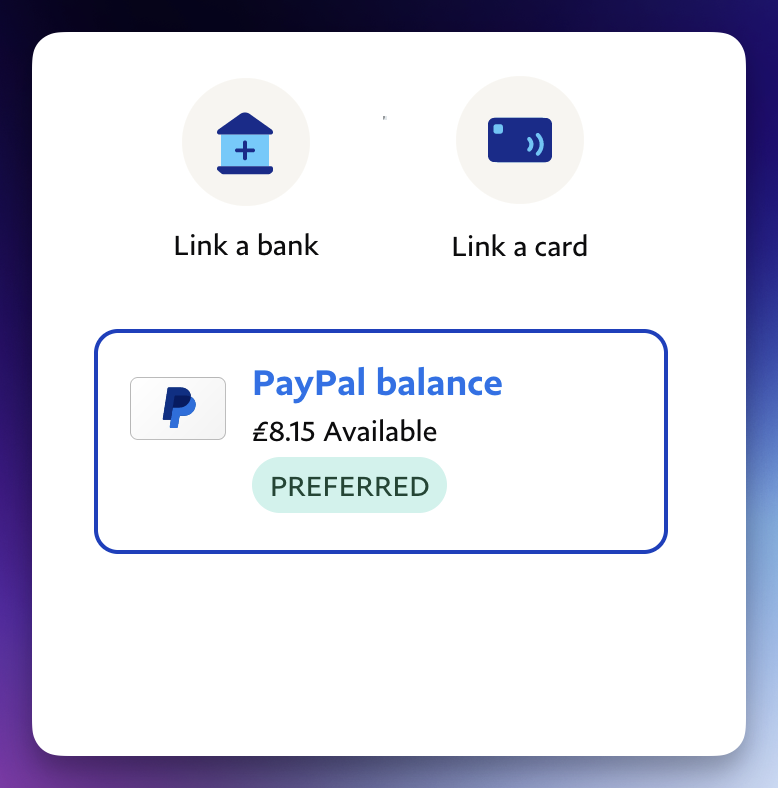
When I reached that step in the process, I also thought I had to add a separate funding source. I had just sent money to my UK PayPal account and PayPal balance wasn’t a choice. So I waited a bit and refreshed the page and then “PayPal balance” showed up as an option. So I selected that as my primary method and was able to pay for my Discovery+. And so far no issues…knock on wood!
So my PayPal account has “PayPal balance” as my preferred method and no linked banks or credit cards: