Does anyone know how TR is importing multi sport files?
I did a triathlon today (recorded on a Garmin Watch as a triathlon) and it’s matched something to the bike portion of my event, but it’s not the bike only and it’s not the whole event, and it’s not the whole event minus transitions either:
Thats happened to me in the past. I got a tri through last year which had the whole event time, but big gaps either side of the bike which didn’t show anything, I contacted support but they really didn’t seem to know much about it, said they hadn’t changed anything on their end. Not sure whether there’s been a change in what happens at the garmin end but something is weird!
Hey good question! We’ll import any “cycling” activity from Garmin Connect. Our guess is that you possibly had the watch set to cycling and recorded the run in addition to the bike portion.
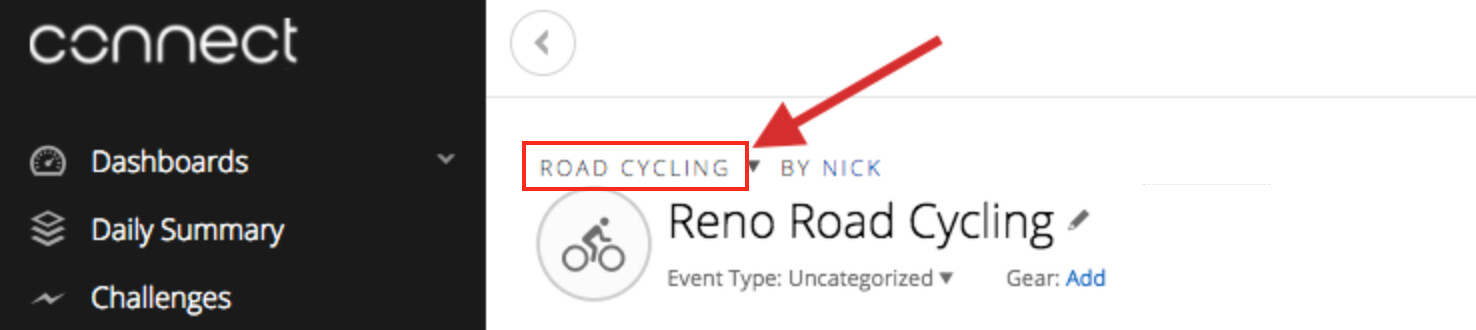
One way to confirm if Garmin Connect recorded it as a cycling activity is via this verification seen below:
I think this is related to the file being uploaded (un-educated guess)
The Garmin file has all the parts of the tri swim, activity, cycling, activity, run…
Strava knows what to to with this, so they split the file for you.
Garmin knows what to do with this and show it as a multisport activity on the app.
TR might see the cycling portion and assume all of it is cycling…
That was the same response I got from support last year, sadly it seems like something in the way TR pull from Garmin has gone awol because its happening to all multisport activities which include a cycling portion.
Not really. I am very sure they dont want to really on a single running power meter. That would handicap all runners who dont seem to want to spend $200 on running power meter that will only give you reliable numbers as long as you use the same power meter.
I dont think running with power is where it needs to be for it to be as useful as cycling power.
Is TR pulling or Garmin pushing?
I dont remember how it works…
I think it may be Garmin pushing activities since it would be the cheapest way to do it (instead of implementing a pull mechanism for the thousand of users who has garmin devices)
In any case. A push from garmin means they will push all activities. In this case a file with cycling. TR see the file and publish it as cycling since it contains a cycling portion. Garmin push ALL activities. TR stores all activities, but do not show anything that is not cycling.
The more correct solution would be detecting is a multisport (strava already does this) and split the file by activity type.
Well that’s annoying because I did record on my Edge as well, so I did have a separate bike file until I deleted it! Didn’t think I’d need it once I saw the triathlon had recorded properly.
Can you extract the bike portion as a file or something and import that into TR manually?
I’ll be honest and say I’m not an expert and just kinda said that in a catch all sense of “cause to be moved from Garmin to TR”.
I can see how the easiest way to do it is to just take an activity as a whole, and recording and publishing multisport activities is surely more complex than I will ever care to understand.
I’m not suggesting they should only do Stryd, but it would be an easy implementation. They of course could do pace and HR - but when you run with Power it really is as good as it is in cycling.
But 250W on strider is not the same as 250W on garmin power.
Unless someone comes up with a standardized algorithm that is used by all manufacturers, run power will just be an arbitrary number that only works for the device that created it.
True, but also very easy to move from shoe to shoe. Comparing power numbers does not actually matter and doesn’t invalidate the training approach. Bike power meters are somewhat the same especially when comparing with trainers.
@IvyAudrain Hello! Noticed this thread started in October 2018, but I don’t have time to read thru 484 posts. Is there an update on whether/when TR will import Run and Swim activities from other platforms (Garmin, Strava)? It sounds like possibly TR already does this, but for some reason does not display on the Calendar. Is that the case? Can you describe whether and how Adaptive Training factors these in? I would assume that to be effective AT has to consider all activities, not just cycling (I’m a triathlete). Let me ask another way: I have TR set to auto-import activities from Garmin, Strava, Zwift. Say that I’m over-reaching with my run training. Does AT consider that, when adjusting the plan? Or does it only consider compliance with planned cycling workouts, and the RPE entered via TR? Will TR consider enabling an annotation of RPE on imported activities? Priority-wise, this would be more useful for runs than swims… Grateful in advance for any guidance you can provide.
The only compliance with swim and runs AT considers is if you check them off as completed. @IvyAudrain, is that correct?
It would also be helpful if the triathlon plans produced by plan builder took into account “long run” time/distance. I have played around with plan builder and anytime it goes from base → specialty there is a huge “long run” time/distance jump. That is a sure-fire way to get injured. Thanks!
So as @bfrostieone pointed out with the big jump in run times when Plan Builder goes from Base to Specialty, will AT adjust times of runs along the way? i.e. The Base portion in this scenario would come after a Build so would the Base runs have been adjusted to be longer/different assuming you checked off the prior Build runs as complete at/around the target times? Or alternatively, would the Specialty runs get changed to be shorter if the preceding Base runs weren’t as long?
Clarification:
You wont receive adaptations for runs/swims in future training blocks based on the completed runs/swims in a previous training block. (e.g. if your custom plan schedules a build block then base block before moving to specialty, AT won’t adapt the runs/swims in the base block to maintain a ramping progression into specialty). We’ll currently only adapt runs/swims if you miss a workout where we move the skipped run/swim to your next scheduled run/swim.
Adapting runs/swims based on performance becomes particularly challenging since we don’t have the most accurate way to understand performance in runs/swims within TR yet.
We want to improve AT’s functionality for runs/swims in the future, but we don’t have an ETA at this time of when that’ll take place!