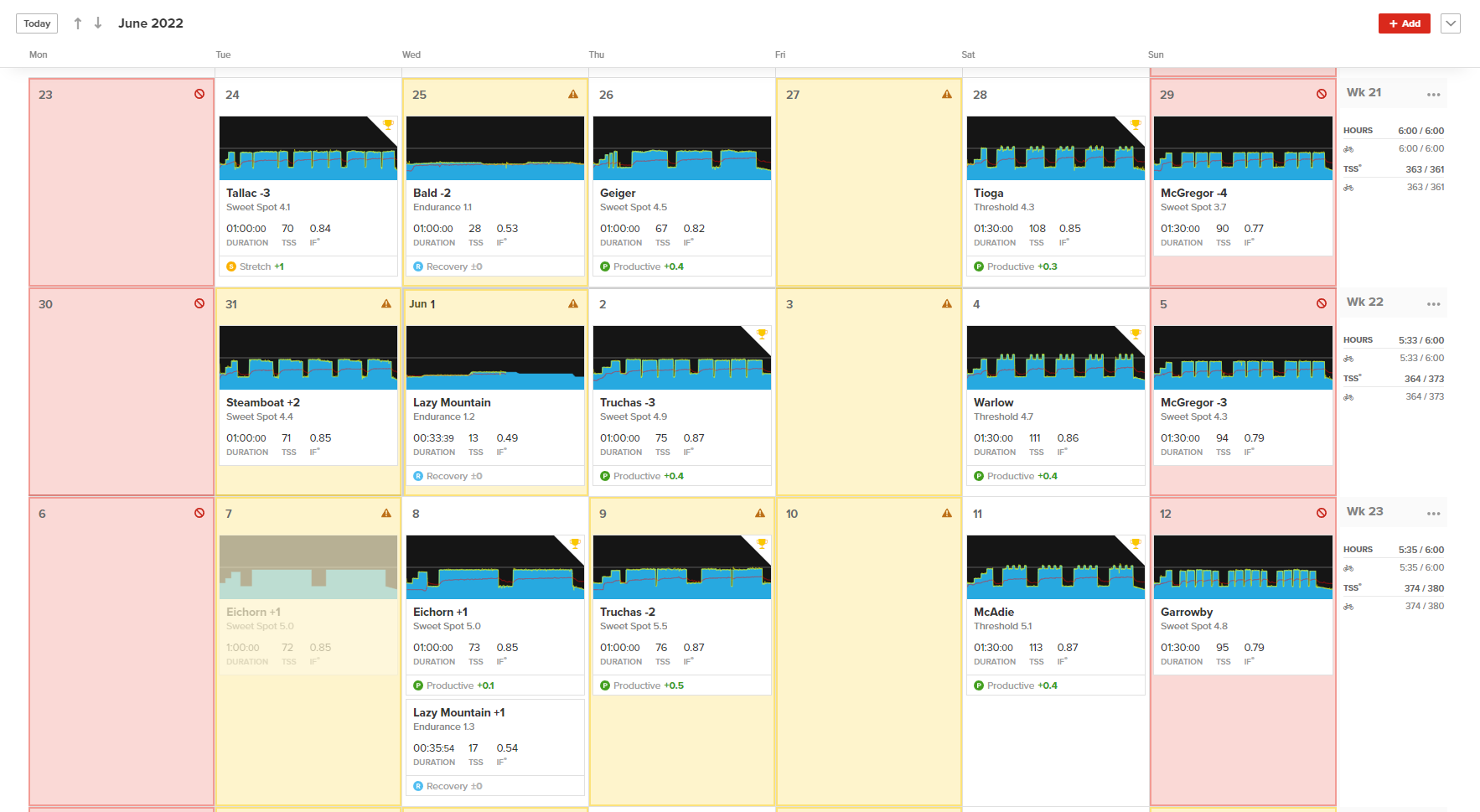
I dont think its necessarily bad thing. The day after a hard session or a long ride shown in Amber just means think about doing a lighter training session. If it was Red = think about a day off to recover. If its White (which is Green) you are free to do what you want training wise, if a hard session is scheduled Go for it
If it in the past its only an indication that you might have been better to approach things like above.
I look at yellow days after hard training sessions as a good thing. It means that you’re pushing yourself but not over doing it. Hopefully they can clarify some Of these things about red light green light.
I have yellow days after every hard day and long endurance ride days.
And I think that is a mistake by TR. For one, there is a question about how far this sees out, since all future weeks look the same as the current week if/when there are no R/Y days at hand. We’ve seen a few people ask for the predictive aspect of RLGL which makes total sense to me and would be more clear if/when there was an actual “Green” indicator on any/all days that RLGL has actually considered.
In parity with the Red Cross & Yellow Yield symbol, I think there should be a clear Green symbol like a or some other positive / affirmative indicator. All that for practical use not to mention my persistent OCD complaint that Red Light Green Light has no actual “Green Light” in use
Along with the above suggestion, perhaps the header of the green days could be shaded for quick sighting too, while leaving the main box white like normal. Just a matter of instant recognition without ambiguity.
ETA: The irony that this choice has to be addressed in the FAQ (due to the lack of a color in the namesake of the tool) seems like a clear reason to “fix” this problem at the source (add green to the calendar).
@Nate_Pearson I think this is an error in the FAQ page. If not, then there needs to be a longer explanation of how RLGL means there’s no need to test FTP.
First of all you do mention that there is no green color coding, but that should be made more prominent in the description of the feature. People don’t read all the Q&As at the bottom of the FAQ page.
Q: I trained on a yellow or red day, yet the following day was green (not yellow or red). Why?
Q: I haven’t been training consistently recently or I had a large increase in training stress. Why is RLGL giving me red days although I feel fine?
Q: RLGL isn’t showing yellow or red but I feel like I need rest. Does that mean RLGL doesn’t work? Should I rest?
Note that I (think) I know these answers but they would help others
Today is a yellow day which has an achievable Endurance workout.
I’ve already swum an hour with sprints but this isn’t taken into account.
I’m guessing reduce this endurance TR to a recovery workout?
Tomorrow I was going to stack two 90min low PL workouts and that’s showing “green”. It’s my only free day this week so far, and I think I’m fit for it.
I see some yellow days in my past calendar which consistently coincide with my recovery days. But l don’t see any colour for today or next days of the week. Shouldn’t this utility be able to tell you your current and immediate future state?
Just a big shoutout to the TR team. Biggest thing to remember here for me is that this is a early access feature so its not going to be perfect, yet. I am just happy to be testing it out. I am sure the team will take our feedback and make it better over time. Excited to see where it goes!
Something else that would be nice would be showing what color you are on the career page of the APP.
This way I don’t have to look at the calendar and know as soon as we open the app.
It would be nice if there was a way to quickly toggle the feature on/off from the calendar. It’s interesting to see at times but having it present all the time so prominently feels like overkill.
I’ll see if it works on mine, since it’s a rest day for me it should be green.
Like others have mentioned, some type of green or visual would help clear the noise of what color I am for the day, on the career page.
It’s a new feature and early access, I’m sure they are open for opinions.

 & Yellow Yield
  symbol, I think there should be a clear Green symbol like a
  or some other positive / affirmative indicator. All that for practical use not to mention my persistent OCD complaint that Red Light Green Light has no actual “Green Light” in use